trivy OWASP Dependency-Track
OWASP Dependency-Track fully supports importing CycloneDX SBOMs in JSON format (the default when you use --format cyclonedx):
trivy fs --scanners vuln,secret,misconfig --format cyclonedx --output trivy_results/combined.json /usr/src/ragflow
This generates a valid CycloneDX JSON SBOM (typically specVersion 1.4–1.6 depending on your Trivy version in 2026; Dependency-Track handles these well, usually up through 1.6 in versions 4.13+).
Dependency-Track focuses on ingesting the component inventory (libraries, packages, OS packages, etc.) from the SBOM and correlating them against its vulnerability databases (NVD, OSS Index, GitHub Advisories, etc.). It will not directly display Trivy’s detected vulnerabilities, secrets, or misconfigurations from the SBOM — those extra scanner findings (in vulnerabilities, secrets, service extensions) are mostly ignored during import. Instead, Dependency-Track re-analyzes the components independently for the most up-to-date vuln data.
Step-by-Step Guide to Import Your combined.json into Dependency-Track
1. Access Dependency-Track Web UI
- Assuming you have it running (e.g., via Docker:
docker run -p 8080:8080 dependencytrack/dependency-trackor a production setup). - Open your browser → go to
http://localhost:8080(or your server IP/port). - Default login (change immediately!): admin / admin
2. Create or Select a Project
- On the dashboard, click Projects (top menu).
- Either:
- Click Create Project → give it a name (e.g., “Ragflow Source Code”), optional version, description, tags → Create.
- Or select an existing project that matches
/usr/src/ragflow(e.g., if you already have one for the app).
3. Upload the CycloneDX SBOM
- Inside the chosen project, go to the Components tab (or sometimes directly see an “Upload BOM” button on the project page).
- Click Upload BOM (or Upload CycloneDX BOM).
- In the dialog:
- Format: Select CycloneDX JSON (it should auto-detect, but confirm).
- File: Browse and select
trivy_results/combined.json. - Optionally check Auto-create missing project if uploading to a new UUID (rarely needed).
- Click Upload.
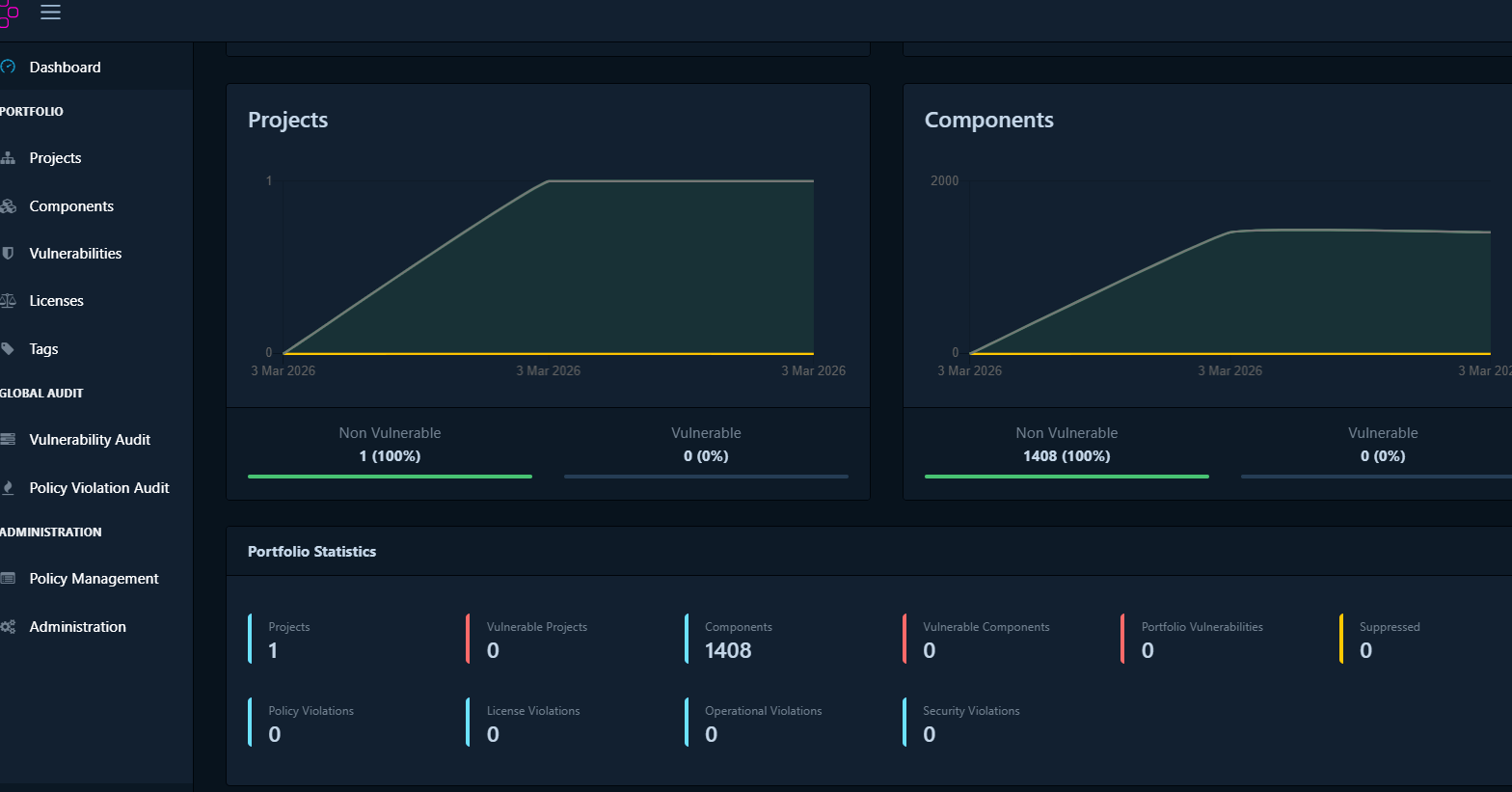
4. Wait for Processing & View Results
- Dependency-Track processes the upload in seconds to minutes (depending on size).
- Refresh the project page.
- You will see:
- Dashboard tab — overall risk summary, vulnerability counts by severity.
- Components tab — list of all detected dependencies (Python/Rust/JS packages, OS pkgs from filesystem scan, etc.).
- Vulnerabilities tab — correlated vulns with CVE IDs, severity, affected versions, descriptions, and remediation advice.
- Policy Violations (if you have policies configured).
- If nothing appears after a minute:
- Check Administration → Audit or System → Logging for errors.
- Validate your JSON is well-formed: run
cat combined.json | jq .(should show valid structure starting with"bomFormat": "CycloneDX"). - Rare cases: very old Trivy versions might produce specVersion <1.3 — upgrade Trivy if needed.
Alternative: Upload via API (for automation / CI/CD)
Use curl (replace values):
# Get your API key from Administration → Access Management → Teams → (your team) → API Keys
API_KEY="your_long_api_key_here"
PROJECT_UUID="xxxxxxxx-xxxx-xxxx-xxxx-xxxxxxxxxxxx"   # from project URL or API

curl -X "PUT" "http://your-dtrack-host:8080/api/v1/bom" \
     -H "Content-Type: multipart/form-data" \
     -H "X-Api-Key: $API_KEY" \
     -F "project=$PROJECT_UUID" \
     -F "bom=@trivy_results/combined.json"
Success returns HTTP 200/201.
Important Notes & Limitations
- Trivy-detected vulns/secrets/misconfigs — Not shown directly in Dependency-Track. Use Trivy’s original JSON reports (or
--format json) side-by-side for those. Dependency-Track gives fresher/more sources vuln matching. - Best practice — Upload updated SBOMs regularly (e.g., in CI after code changes) so Dependency-Track tracks drift and new vulns over time.
- If upload fails (400 Bad Request):
- Open
combined.json→ check"specVersion"(should be “1.4”, “1.5”, or “1.6”). - Ensure it’s valid JSON (no truncation).
- Disable strict schema validation temporarily in Dependency-Track config if needed (advanced; see docs).
- Open
- Enhance scanning — Enable additional analyzers in Dependency-Track (Admin → Analyzers) like Internal, OSS Index, GitHub Advisories for broader coverage.